Featured Post Today
print this page
Latest Post

Huawei FRP Tool Remove Huawei Google Account Free Download

Huawei FRP Tool Remove Huawei Google Account Free Download  

Download Huawei FRP Tool 
Are your Owen a Huawei phone and you have stuck at Factory reset protection and looking for an FRP Tool to remove Gmail account then Huawei FRP Tool can surely help you. You can bypass FRP lock easily with this Huawei Tool. You just need to download Huawei FRP Tool and you will be able to bypass google account lock and get full access to your Huawei device.
If you can’t remember the Google Account or password that you set up in your Huawei mobile after performing a hard reset. if you are stuck with this FRP lock on your Huawei device you have to find the Easy and best way to Bypass FRP Google account lock. So Here are Complete Details How to Unlock FRP Lock to delete the Gmail account via this Huawei FRP Tool.

Download Huawei FRP Unlock Tool:

Here you can download the Huawei FRP Unlock Tool for Huawei Device. all Huawei devices work well with this Huawei FRP Unlock Tool.
File Name: Latest Huawei FRP Tool Easy Remove Accounts.rar
Size: 10.11 Mo
Supported OS: Windows

Download Link: Huawei FRP Unlock Tool password: ams tech 
How to Use Huawei FRP Unlock Tool
  • Restart your Huawei device to recovery mode:
    • Turn OFF your Huawei mobile
    • Press & hold the Volume Up button + the Power button for a few seconds.
    • Then Connect The Huawei Device to the Computer.
  • Click on Read Info to check The Huawei mobile Connected or Not.
  • Then click on Reset FRP to Bypass FRP Gmail account from your Huawei smartphone or tablets.
I hope it helped. If any questions feel free to comment below!
1 comments

Samsung Galaxy A5 SM-A500H 6.0.1 4 files Repair Firmware Free download

Samsung Galaxy A5 SM-A500H 6.0.1 4 files Repair Firmware Free download 

A500HXXU1BOK3 
Samsung Galaxy A5  – A500HXXU1BOK3  4 File Repair Firmare download link available here. This firmware version number is PDA – A500HXXU1BOK3  and CSC- A500HOJV1BOK3. The operating system of this firmware is android 6.0.1.Samsung Galaxy A5  – A500HXXU1BOK3 rom is  Fully tested Bugs and Virus Free.

Samsung Galaxy A5  – A500HXXU1BOK3 4 File Repair Firmware 

Model :                                            SM-A500H
Country :                                             Iran
Version :                                              6.0.1
Product Code:                                   THR
PDA :                                          A500HXXS1CQC5
CSC :                                           A500HOJV1CPK1

AP_A500HXXS1CQC5_CL8991689_QB12965645_REV00_user_low_ship_MULTI_CERT.tar.md5
BL_A500HXXS1CQC5_CL8991689_QB12965645_REV00_user_low_ship_MULTI_CERT.tar
CP_A500HXXU1CPH2_CL8930347_QB10568164_REV00_user_low_ship_MULTI_CERT.tar
CSC_OJV_A500HOJV1CPK1_CL9697643_QB11433538_REV00_user_low_ship_MULTI_CERT.tar

SM-A500HXXS1CQC5 6.0.1 4 files Repair Firmware

Password = www.miraclesoftsolution.com

Link.....
1 comments

Remove FRP Elephone A6 Max google account lock Android 9.0 Pie By Zewel Rana

Remove FRP Elephone A6 Max google account lock Android 9.0 Pie By Zewel Rana 

Remove FRP Elephone A6 Max 
Google has added a security feature (Factory Reset Protection) to its Android OS. This feature is important and is intended to avoid misuse of the device during thefts. But at the same time, some users have got into trouble because of it, when they have forgotten their GMAIL or password credentials after the hard reset. So, in this tutorial, we have brought the latest method to Remove FRP Elephone A6 Max google account lock Android 9.0 Pie via SP Flash Tool by following some simple steps.
The process of bypassing FRP in the latest versions of Google’s Android is becoming challenging with every update and every new device 

Elephone A6 Max Specifications:

Elephone A6 Max released in July 2019. Elephone A6 Max comes with 4 GB RAM and 64 GB ROM. The Elephone A6 Max has 6.53 inches IPS LCD with a resolution of 720 x 1560 pixels, Elephone A6 Max runs on Quad-core 2.0 GHz MediaTek Helio P22 MT6762 chipset, and powered by a 3950mAh non-removable battery. The Elephone A6 Max comes with a Single MAIN Camera 20-megapixel and 20-megapixel on SELFIE Camera.
THE FRPBYPASS.NET CANNOT BE RESPONSIBLE  IF YOU’RE TRYING TO BYPASS FRP ON STOLEN PHONE.

Download Links:

How to FRP Elephone A6 Max Via SP Flash Tool

1. Download the SP Flash tool & Unzip it on your computer.
2. Download the Elephone A6 Max ROM & Unzip the file.
3. Copy the Scatter txt file from the Elephone A6 Max ROM & paste it to the SP flash tool folder.
4. Run SP flash tool.exe.
5. Click on Scatter-loading FILE, then choose the Elephone A6 Max Scatter File.
6. Click on Format.
7. Check Manual Format Flash.
8. Open the Elephone A6 Max scatter file text that your copier in the SP Flash tool.
  • You need to change the Begin Address value and Format Length value by replacing it with the Elephone A6 Max scatter file text FRP value.
9. Click on Edit then Search for keyword FRP.
10. Copy the Linear_start_address value & paste it in the Begin Address field. and Copy Partition_size value & paste it in the Format Length field.
11. Once you finish click on Start.
12. Turn off your Elephone A6 Max & Hold the Volume Up or Down button. then connect the Elephone A6 Max mobile to your PC. The FRP process automatically starts.
13. Congratulations you have successfully Remove FRP Elephone A6 Max google account lock Android 9.0 Pie.
1 comments

FRP Bypass Moto G7 Power-Unlock gmail account Lock Android 9 By ZewelRana

FRP Bypass Moto G7 Power-Unlock gmail account Lock Android 9 By ZewelRana

Bypass FRP Moto G7 Power 

Google has added a security feature (Factory Reset Protection) to its Android OS. After the hard reset process, the OS asks you to enter the last Google account used in the phone before performing the factory reset to verify the identity of the real owner of the phone. This feature is important and is intended to avoid misuse of the device during thefts. But at the same time, some users have got into trouble because of it, when they have forgotten their GMAIL or password credentials after the hard reset. So, in this tutorial, we have brought the latest method to Bypass FRP Moto G7 Power – Unlock Gmail account Lock Android 9 easily by following some simple steps.
The FRP feature has been added to the phones that are available on the modern Android systems (Lollipop, Marshmallow, Nougat, Oreo, Pie), The process of bypassing FRP in the latest versions of Google’s Android is becoming challenging with every phone and every system and every version has a specific way to bypass this problem 
in your Moto G7 Power device, The FRP feature will automatically Enable as soon as you add a Google Account to your Moto G7 Power. If you want to disable it, you just need to delete your account

How to FRP Bypass Moto G7 Power

  • Power ON your Motorola Moto G7 Power.
  • Connect your Moto G7 Power to your Wi-Fi.
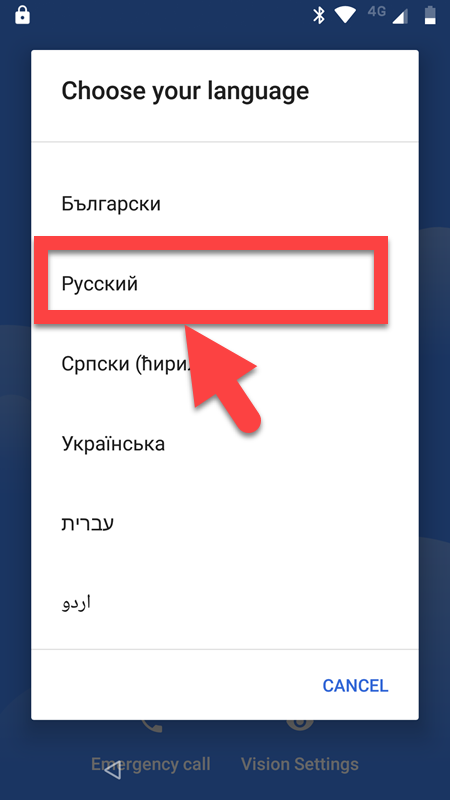
  • Go back to Welcome Screen & Change the Language to русский (Russe).
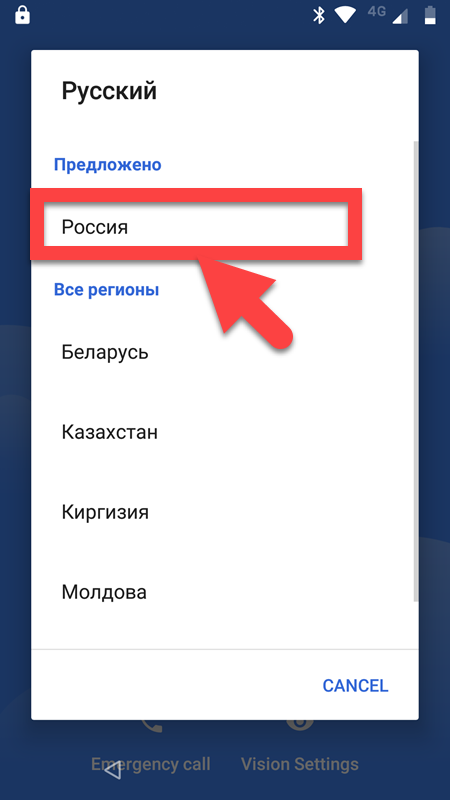
  • Then choose Pоссия.
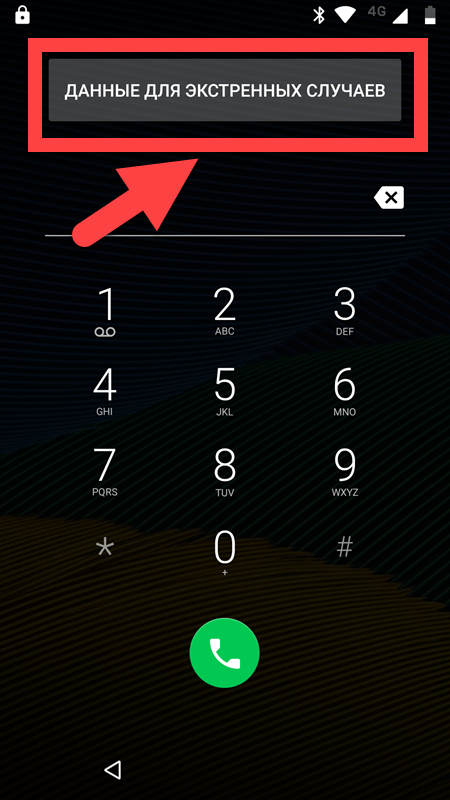
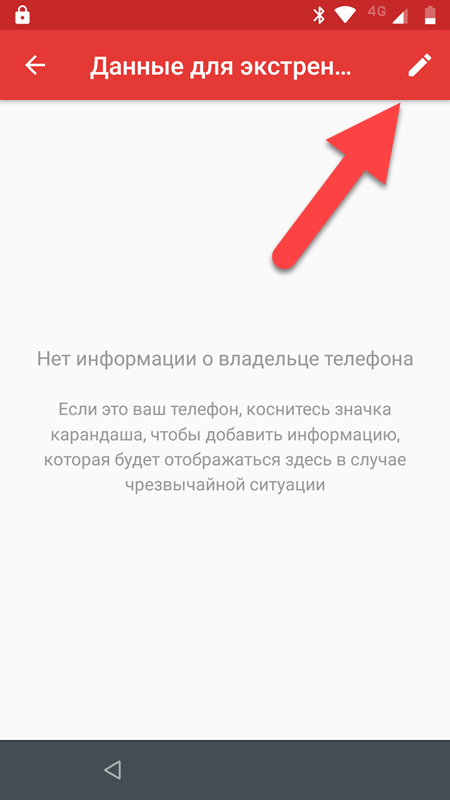
  • Now click on the Экстренный вызов (Emergency call).
  • Then Tab on Emergency information
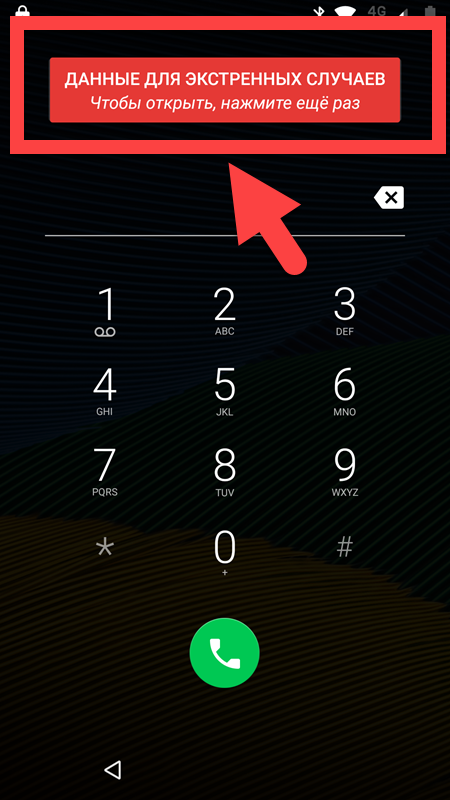
  • Then Tab again to open.
  • Click on Edit symbol.
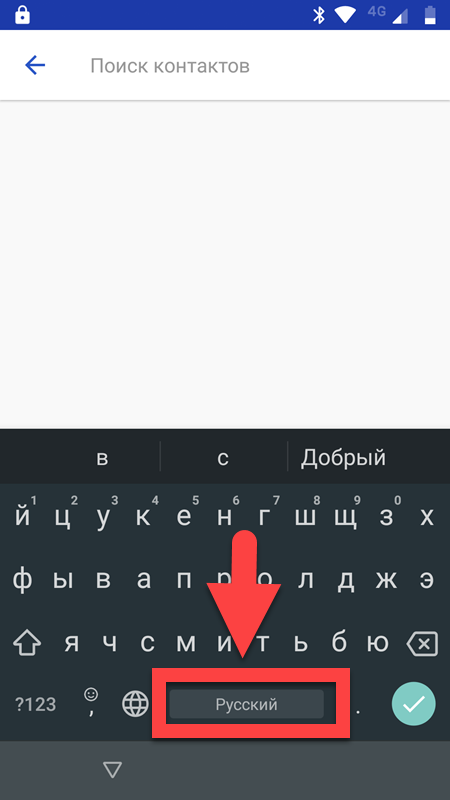
  • Click on the search bar to open the keyboard then long tab on the space button.
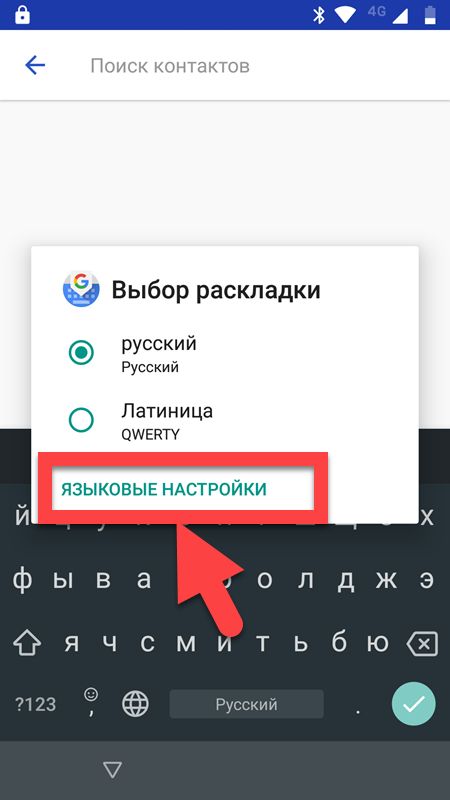
  • Press on Edit keyboard.
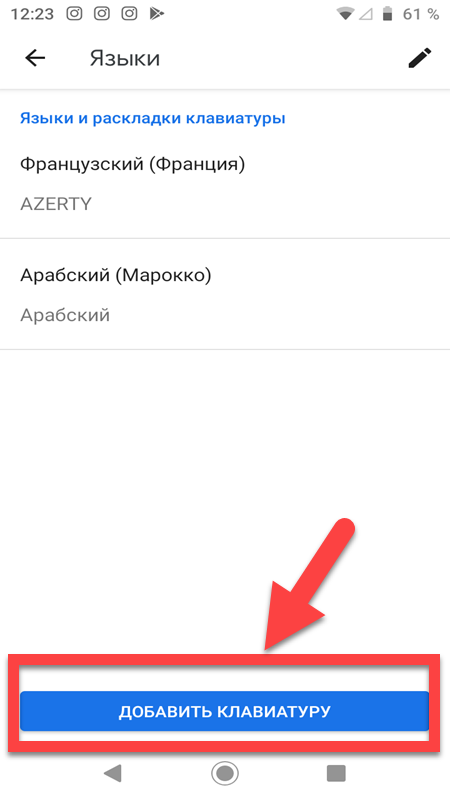
  • Click on ADD KEYBORD.
  • Choose any languages with the ARROW next to it
  • Now click on 3 dots.

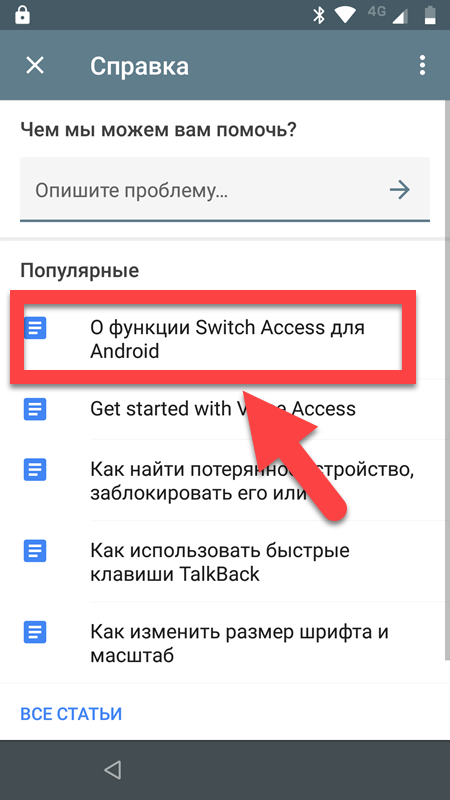
  • Choose the справка/отзыв (Help & feedback)
  • Choose the first Results.
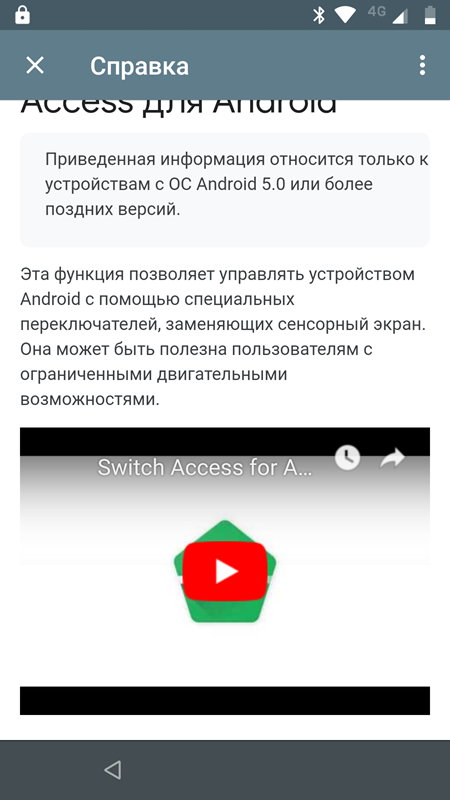
  • Click on the video to play it on the youtube app.
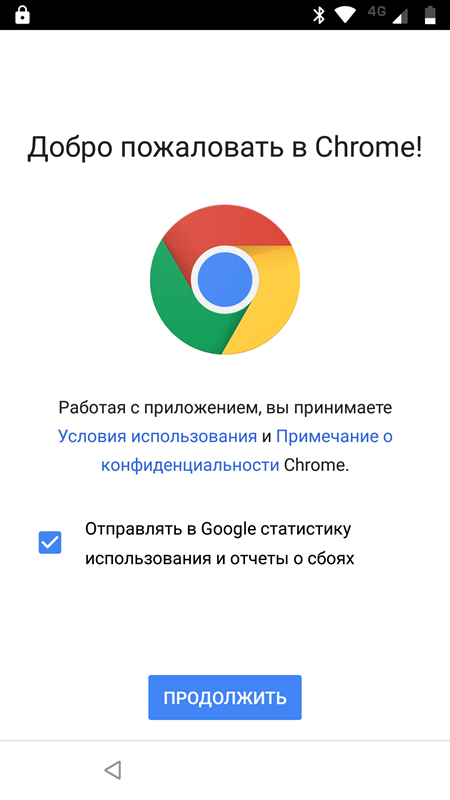
  • A Google Chrome welcome page appears on the screen.
  • Now install Apex Launcher & open it.
  • Change the Language to English.
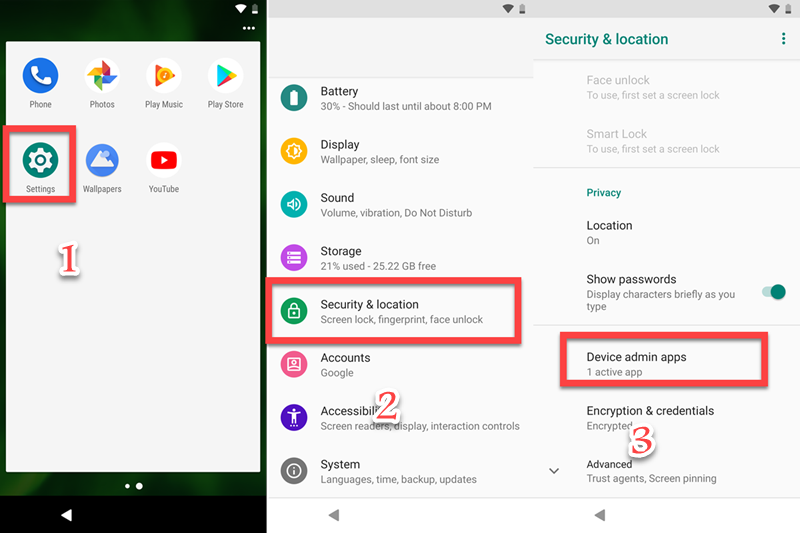
  • Go to Setting ==> Security & Location ==> Device admin apps.
  • Turn OFF Find My Device.
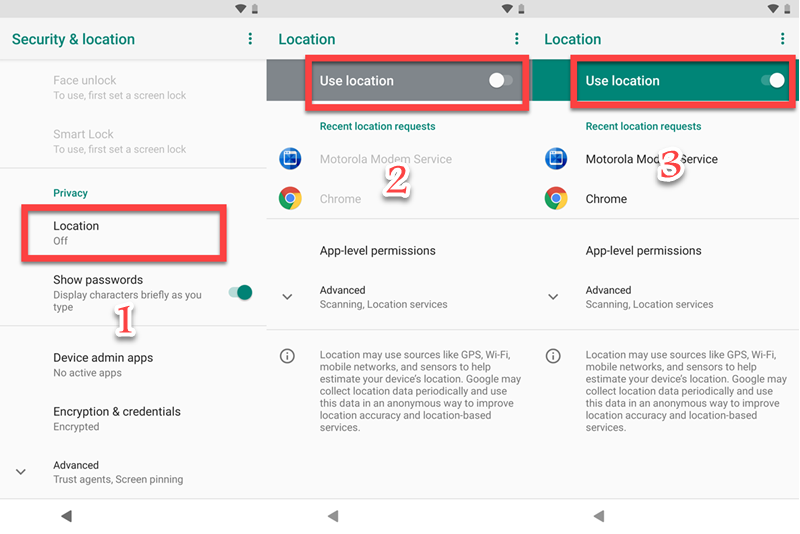
  • Go to Setting ==> Security & Location ==> Location ==> Use Location.
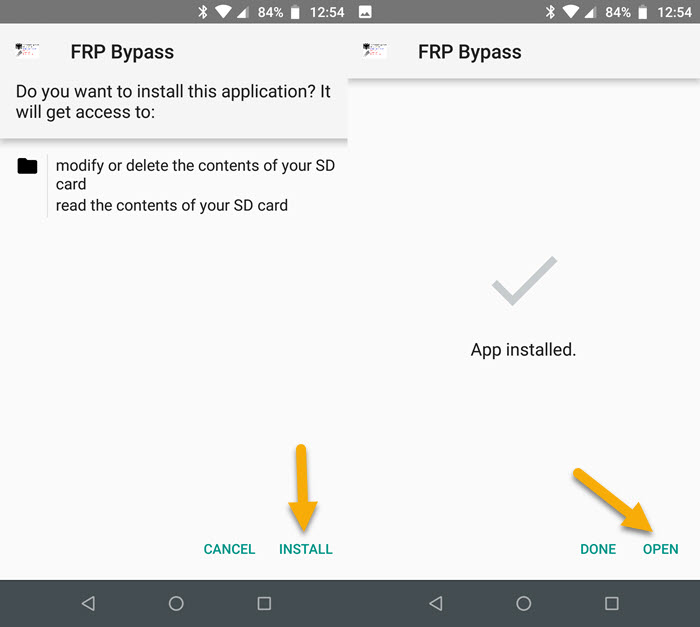
  • Install FRP Bypass & open it.
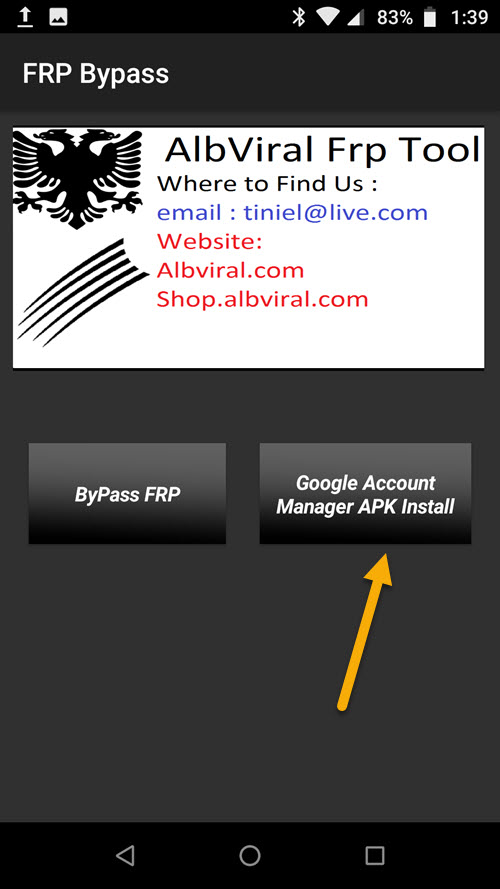
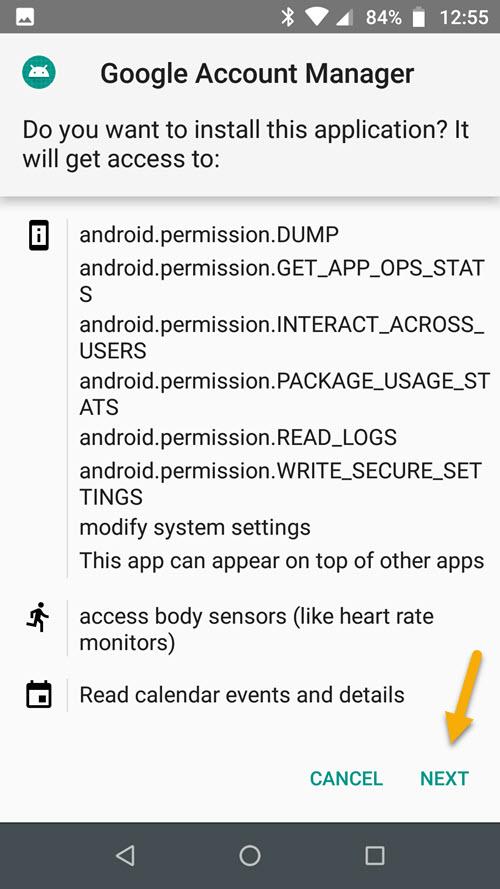
  • Click on Google Account Manager APK Install.
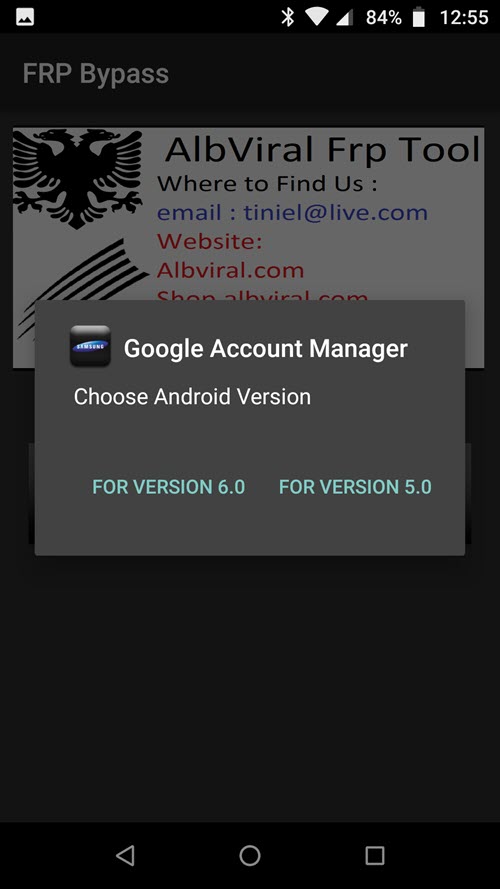
  • Choose Version 5.0 for Android 9.0.
  • Then install Google Account Manager APK
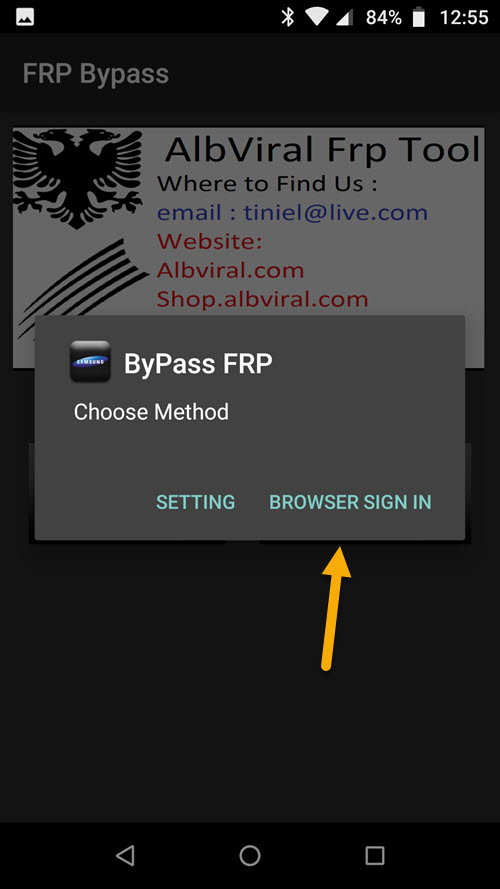
  • Go back to FRP Bypass app & tab on ByPass FRP.
  • Click on BROWSER SIGN IN.
  • Click on 3 dots upright & choose browser sign in.
  • Sign in with your Gmail account.
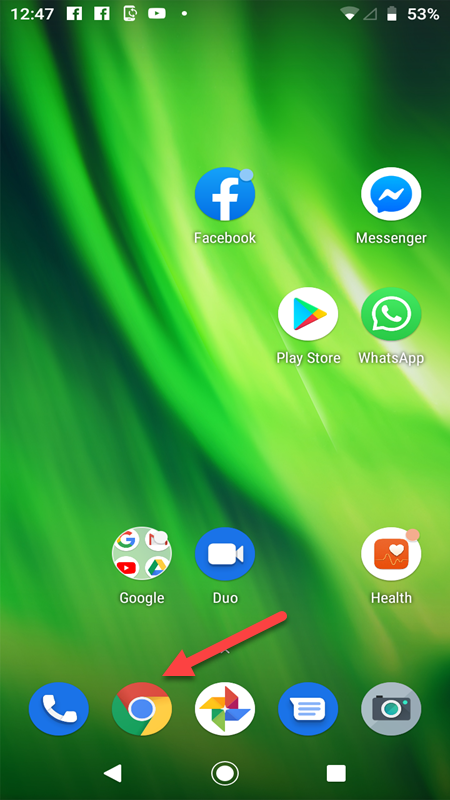
  • Now open Google chrome apk
  • Search for Google find my device
  • Go to Find My Device Page
  • Sign In with your Google Account Email
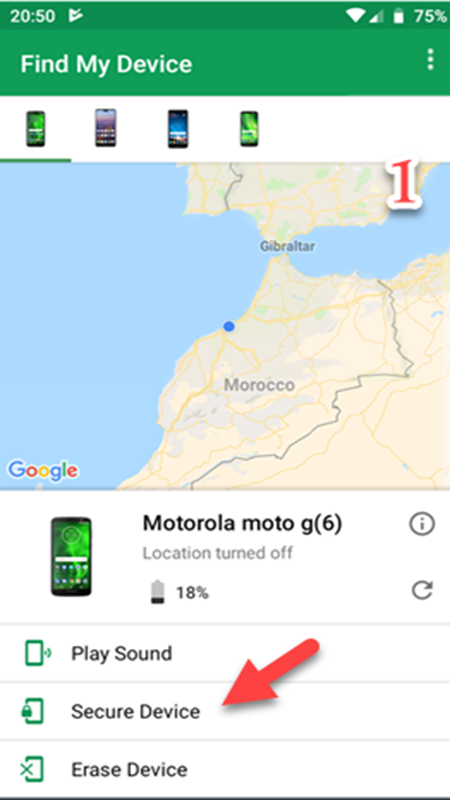
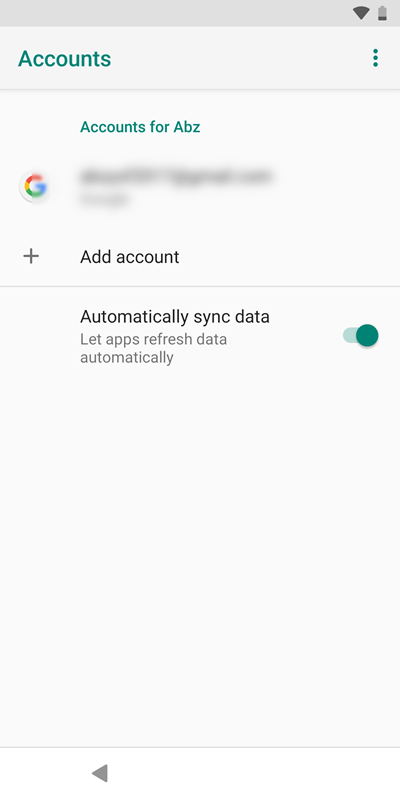
  • Now Click on Secure Device & set up a new password.
  • Now, open your device with the password that you set up
  • Finally ERASE DEVICE.
  • Wait until your device erasing then enter the password that you set up early.
  • That’s it! That’s how you can Bypass FRP Moto G7 Power – Unlock Gmail account Lock Android 9.
IF YOU HAVE ANY DOUBTS OR FACE ANY KIND OF PROBLEM WITH THIS METHOD, COMMENT BELOW.
0 comments

FRP Bypass Tecno Spark 4 Lite – Gmail Lock bypass Android 9.0 By ZewelRana

 FRP Bypass Tecno Spark 4 Lite – Gmail Lock bypass Android 9.0 By ZewelRana 

Bypass FRP Tecno Spark 4 Lite 
Google has added a security feature (Factory Reset Protection) to its Android OS. This feature is important and is intended to avoid misuse of the device during thefts. But at the same time, some users have got into trouble because of it, when they have forgotten their GMAIL or password credentials after the hard reset. So, in this tutorial, we have brought the latest method to Bypass FRP Tecno Spark 4 Lite – Gmail Lock bypass Android 9.0 by following some simple steps.
The process of bypassing FRP in the latest versions of Google’s Android is becoming challenging with every update and every new device 

Tecno Spark 4 Lite Specifications:

Tecno Spark 4 Lite released in December 2019. Tecno Spark 4 Lite comes with 2 GB RAM and 32 ROM. The Tecno Spark 4 Lite has a 6.52 inches IPS LCD with a resolution of 720 x 1600  pixels, Tecno Spark 4 Lite runs on  Quad-core 1.8 GHz Mediatek MT6761 Helio A22 chipset and powered by a 4000mAh non-removable battery. The Tecno Spark 4 Lite comes with a Single MAIN Camera 8-megapixel and 8-megapixel on SELFIE Camera.
THE FRPBYPASS.NET CANNOT BE RESPONSIBLE  IF YOU’RE TRYING TO BYPASS FRP ON STOLEN PHONE.

Download Links:

How Bypass FRP Tecno Spark 4 Lite Via SP Flash Tool

1. Download the SP Flash tool & Unzip it on your computer.
2. Download the Tecno Spark 4 Lite ROM & Unzip the file.
3. Copy the Scatter txt file from the Tecno Spark 4 Lite ROM & paste it to the SP flash tool folder.
4. Run SP flash tool.exe.
5. Click on Scatter-loading FILE, then choose the Tecno Spark 4 Lite Scatter File.
6. Click on Format.
7. Check Manual Format Flash.
8. Open the Tecno Spark 4 Lite scatter file text that your copier in the SP Flash tool.
  • You need to change the Begin Address value and Format Length value by replacing it with the Tecno Spark 4 Lite scatter file text FRP value.
9. Click on Edit then Search for keyword FRP.
10. Copy the Linear_start_address value & paste it in the Begin Address field. and Copy Partition_size value & paste it in the Format Length field.
11. Once you finish click on Start.
12. Turn off your Tecno Spark 4 Lite & Hold the Volume Up or Down button. then connect the Tecno Spark 4 Lite mobile to your PC. The FRP process automatically starts.
13. Congratulations you have successfully Bypass FRP Tecno Spark 4 Lite – Gmail Lock bypass Android 9.0.
0 comments
 
Support : My Channel YouTube | Johny Template | Mas Template
Copyright © 2011. FRP Bypass24.com - All Rights Reserved
Template Created by Creating Website Published by Mas Template
Proudly powered by Blogger